

Real Data Insights for Real Specs
Know what’s getting shared, viewed, and downloaded—and by who—so you can
.png)
For Marketing Teams
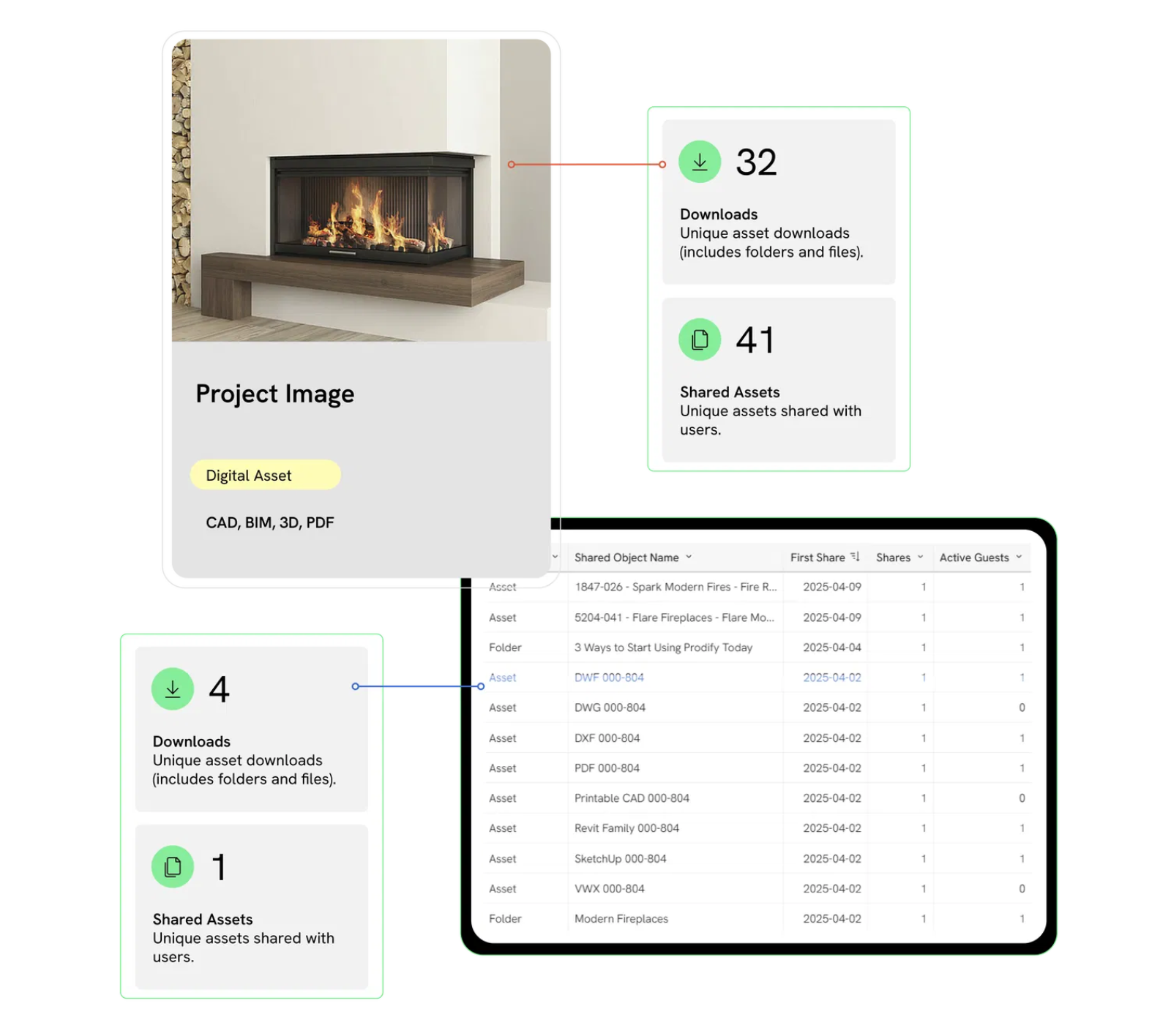
Know Which Assets Drive Specs
Track which CAD, BIM, 3D files and specs are actually getting your products into projects. Spot your top-performing assets in real time—and the ones that need a refresh.
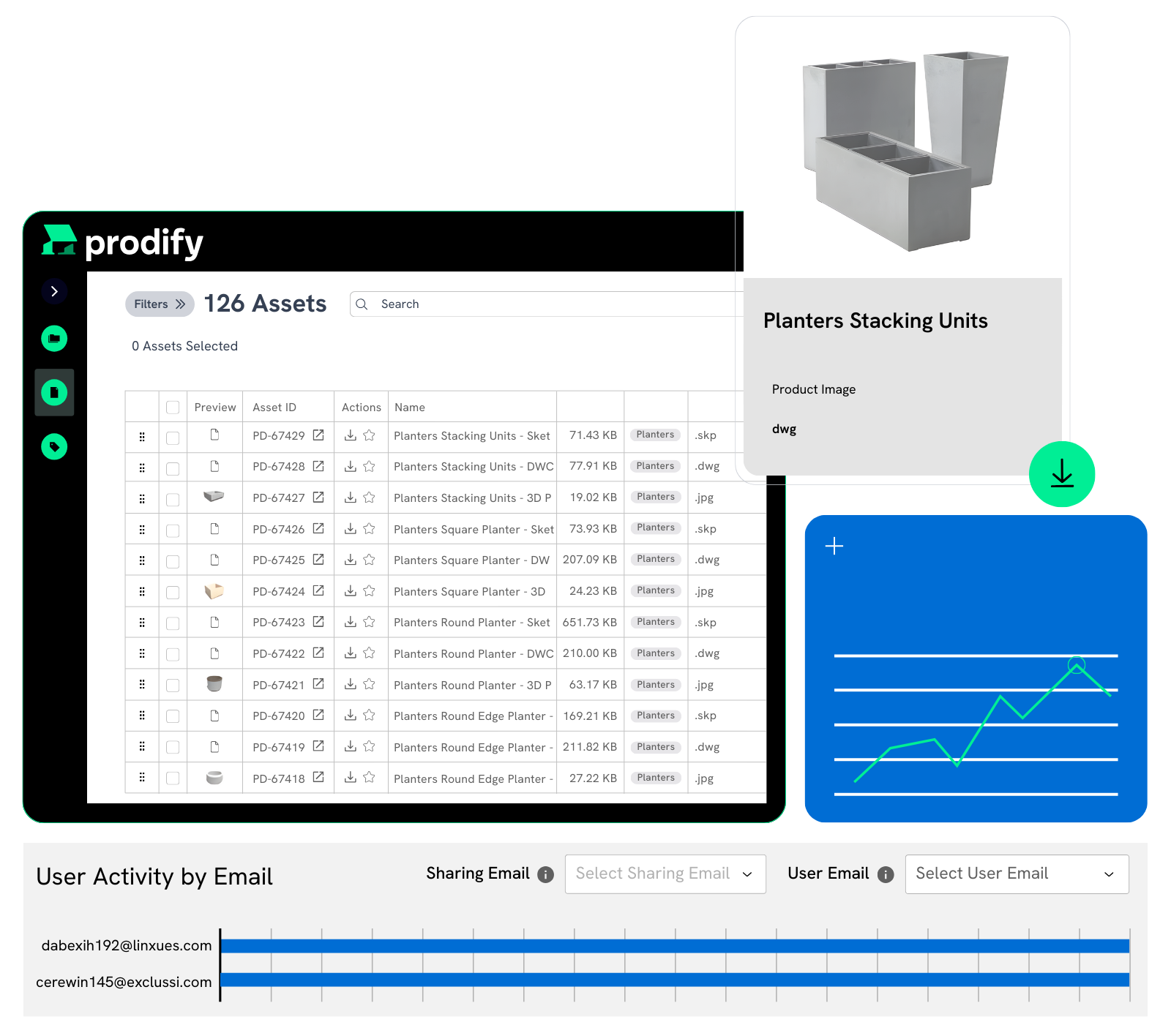
Connect Campaigns to Real Engagement
From product launch emails to digital ads, track how every campaign drives downloads, shares, and engagement. No more black-box reporting—just clear, measurable results.
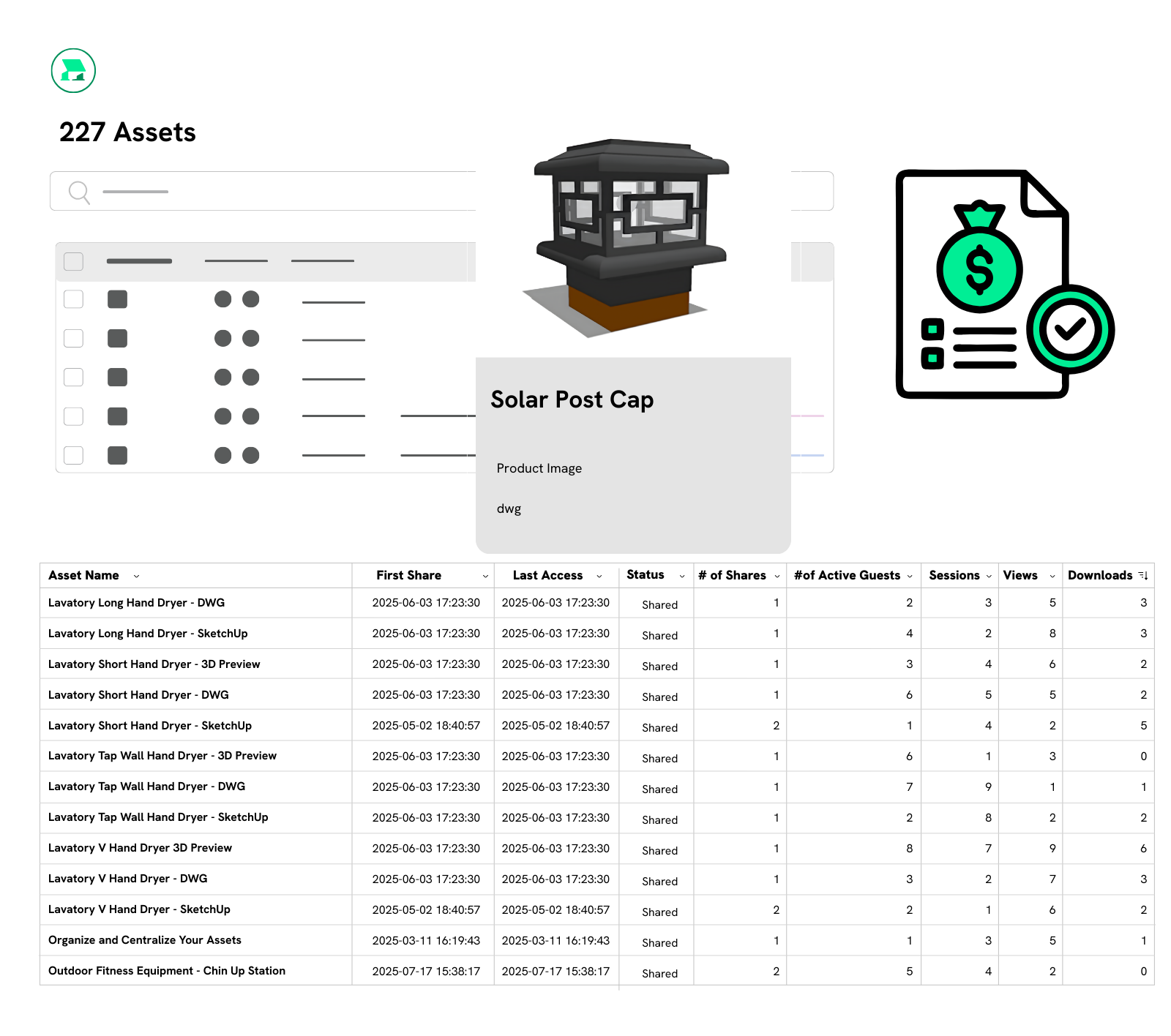
Back Every Dollar With Data
With download counts, asset views, and session data, you’ll have the proof you need for your next budget conversation.
For Sales Teams
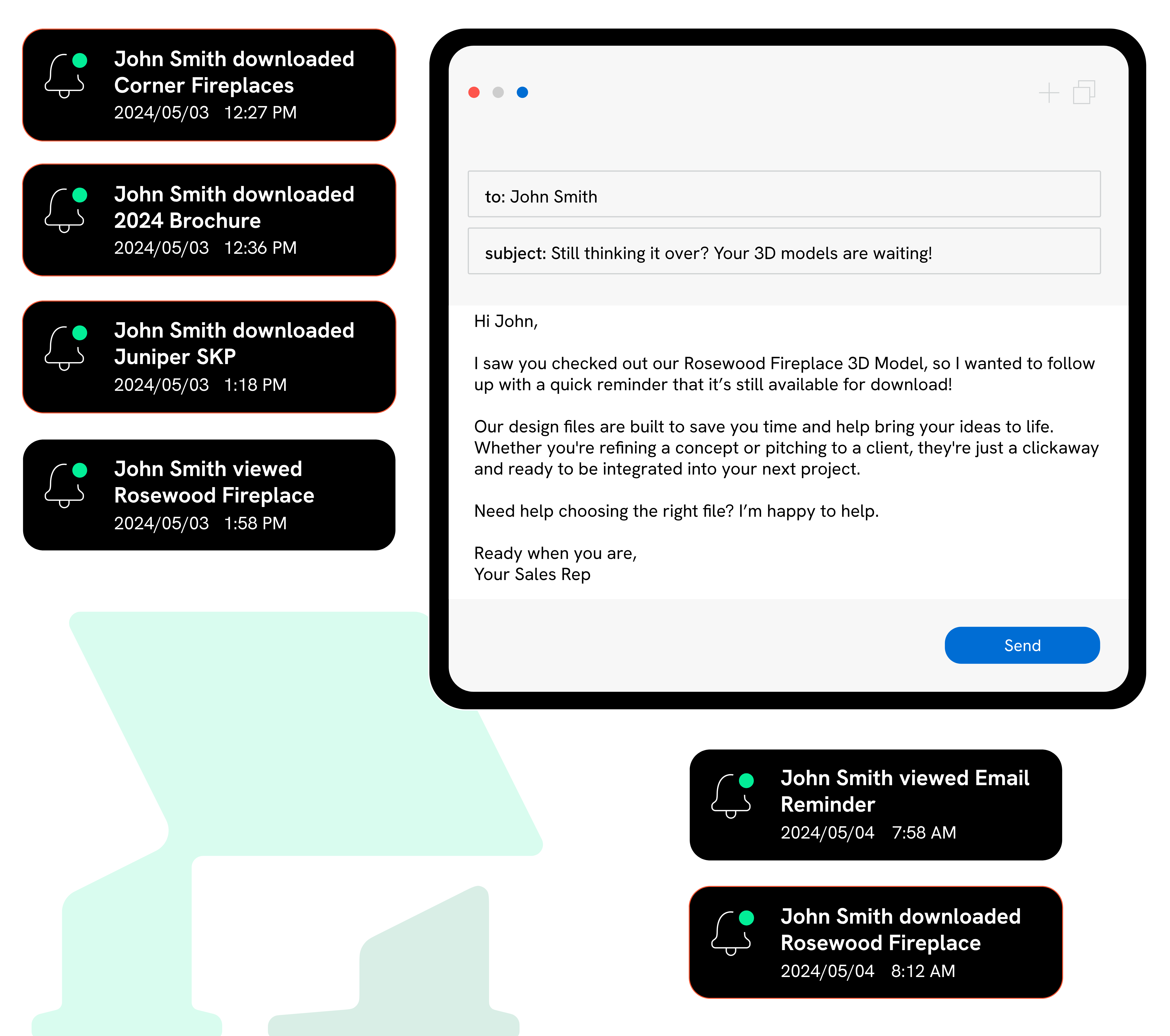
Spot Project-Ready Engagement
See exactly which architects, engineers, and designers are viewing and downloading your product files, so you can follow up with the right person at the right time.

Track Rep Activity & Asset Traction
See what’s being shared, what’s getting results, and which reps drive the most engagement. Then, scale their success across the entire team.

Walk into Calls with Full Visibility
Heading into a meeting? Quickly check what content your contact has engaged with, from a spec sheet to a product video, to give yourself a winning edge.
FAQs
Prodify is the only PIM and DAM solution specifically designed for go-to-market teams in building product manufacturing. If you're managing over 10 products and selling across multiple channels with a marketing and sales team of more than 2 people, Prodify is the perfect solution for you.
You’ll have access to all the key KPIs (Key Performance Indicators) you need to see how AEC pros are interacting with your files, including:
- Shares – See when your sales reps share content to engage leads.
- Session Duration – View the average time (in minutes) prospects spend interacting with your shared assets.
- Unique Guests – Track the number of unique AEC users viewing your shared content.
- Shared Assets – Understand how many of your unique assets are being shared with potential specifiers.
- Views – See exactly how many unique views each shared asset receives.
- Downloads – Measure how often your assets are downloaded—a strong indicator of high product interest.
You’ll also receive detailed engagement insights, including:
- User activity by email
- Which assets or folders were accessed
- When they were last accessed
- Whether they were viewed or downloaded
- How many times each asset was viewed or downloaded
And so much more!
There are so many great ways to put your data to work!
For Marketing Teams: You can see which assets are driving specifications, connect asset performance to your campaign results, and build a strong, data-backed case for budget and resource decisions related to Prodify.
For Sales Teams: You can spot project-ready leads, keep an eye on which assets are getting the most traction, and walk into every meeting with the full context of what your contacts have viewed or downloaded.
All reps have to do is search for the right file in Prodify, then share it directly within the platform using the prospect’s email or copy a trackable share link to send via email. From there, prospects can preview 2D/3D files directly in their browser and download assets as needed.
Within Prodify, reps can see when a link is opened and track which specific files are viewed or downloaded. This replaces the old “send and hope” approach to emailing design files with real visibility into what prospects are actually engaging with.
Yes! You can sort all the data on your dashboard with the following filters:
- Who Shared the Content (Sharing Email)
- User Email (Who the content was shared with)
- Share Type (Asset or Folder)
- Shared Object Name
- Asset Name (Specific asset you are interested in)
- Date
Plus, you can save your preferred filter settings as the default view, so you don’t have to re-enter them each time you access the dashboard!
Absolutely! Prodify makes it super easy to keep your whole team in the loop. You can schedule automatic data exports so updated reports land right in their inbox. You can also set up custom alerts for your key metrics, so you’re automatically notified about what matters most without having to check the dashboard all the time. It’s a simple way to help your team stay proactive and always on top of important activity and trends.
Prodify starts at $499 per month with complete access to our DAM, PIM, and analytics. Optional add-ons are available at an extra cost. Learn more about prices here.
Subscribe to the Prodify Pulse Newsletter for the latest Prodify updates, plus fresh insights on product management and marketing in the building industry. You can also visit our blog for product updates, helpful resources, and more.