

Oops-Proof Version Control
Track every version, restore past files, and access a complete version history anytime you need.

No More “Is This the Right File?”
Work confidently knowing you're always using the latest approved version.
Plus, you’ll always know who made the latest update and when it happened—no digging, just confidence in every file.
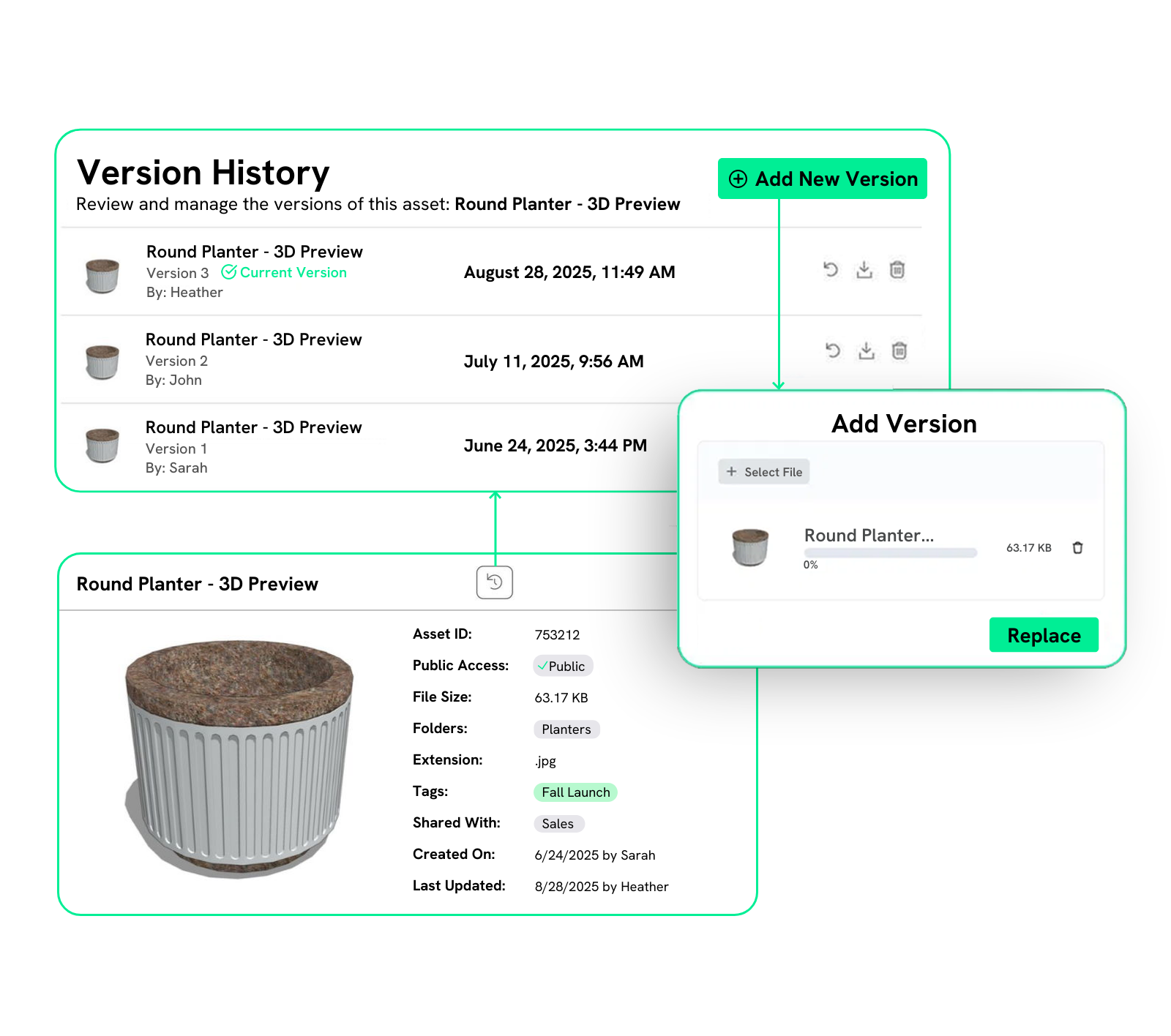

Go Back in Time with Just One Click
Made a mistake or miss the old design? Roll back to a previous version in just a click. Time travel has never been easier.
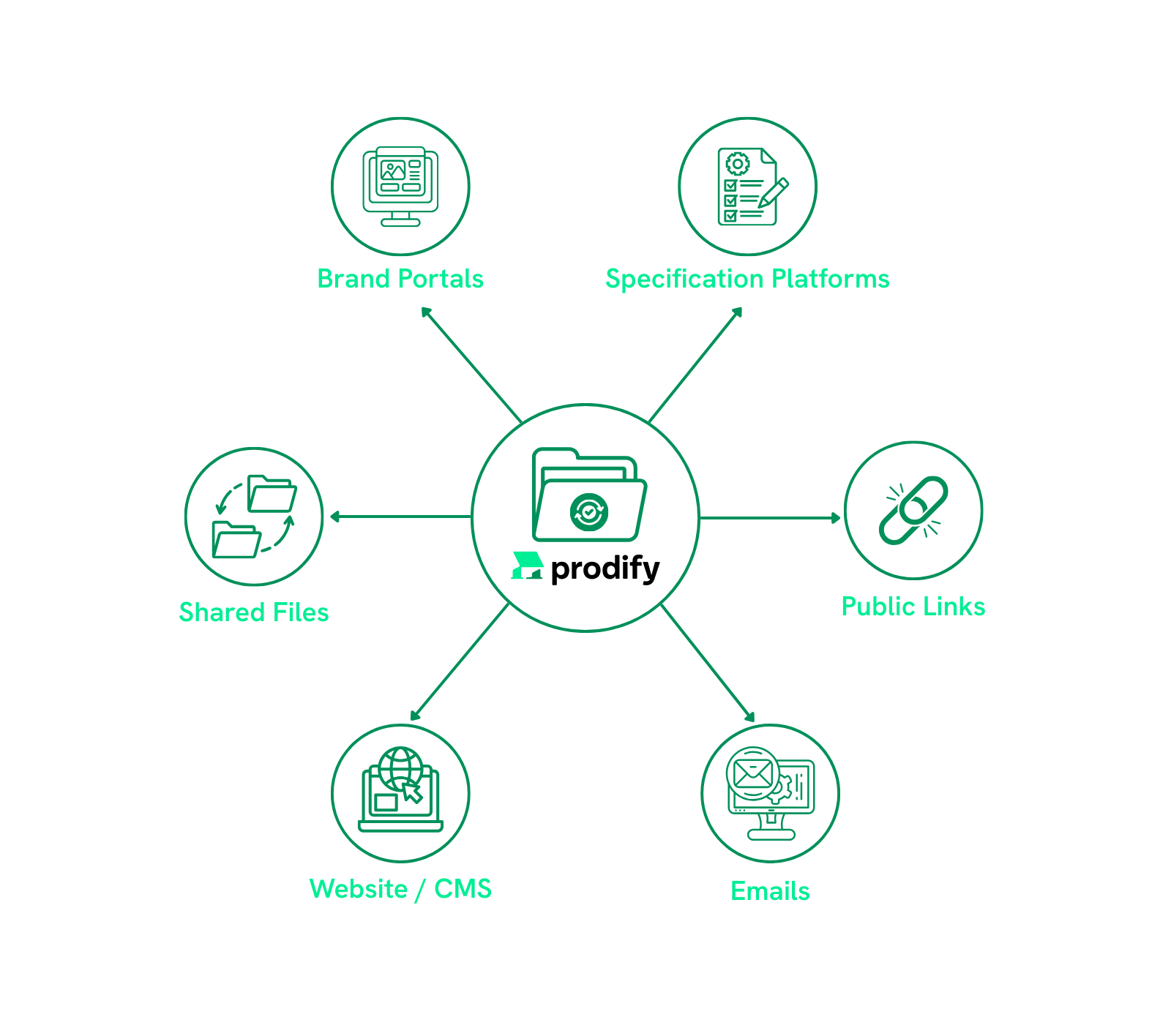
Updates That Sync Everywhere
Let's face it: specs change, CAD/BIM/3D files get tweaked, and marketing materials get updated.
With one source of truth, every new version of your files syncs everywhere—so everything always stays fresh.
Dealing with Compliance & Audits? We See You
How It Works
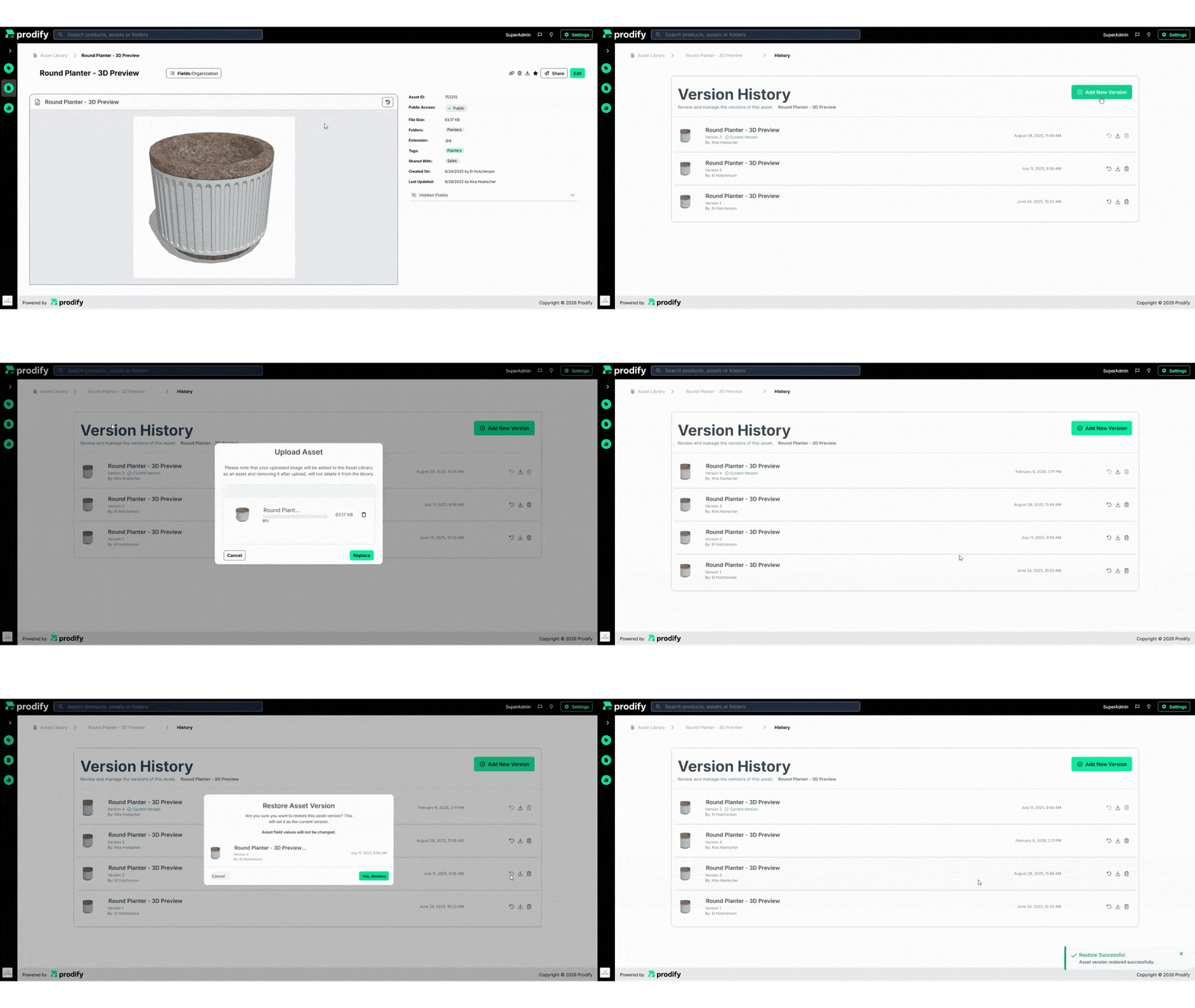
Upload a new version of your file, and Prodify saves it automatically
Check your file’s complete version history in one click
Restore previous versions at any time
FAQs
Yes! Prodify automatically creates a new version every time a file is updated—no manual work required.
Yup! Version history shows who made each change, when it happened, and which version is currently live, which is great for accountability and audits.
Yes, you can restore earlier versions with just a click, which is useful if a mistake is made, or an older version is needed.
You can download past and current versions to see what changed whenever you want.
Yes. Because the Visualizer is tied to Prodify’s central DAM system, any update will be reflected in the Visualizer immediately—no manual updates needed.
Subscribe to the Prodify Pulse Newsletter for the latest Prodify updates, plus fresh insights on product management and marketing in the building industry. You can also visit our blog for product updates, helpful resources, and more.