

Collections
Bring your products together with thoughtfully curated collections
Help specifiers browse your catalog by theme, moment, or purpose—so they discover more than just standalone products.

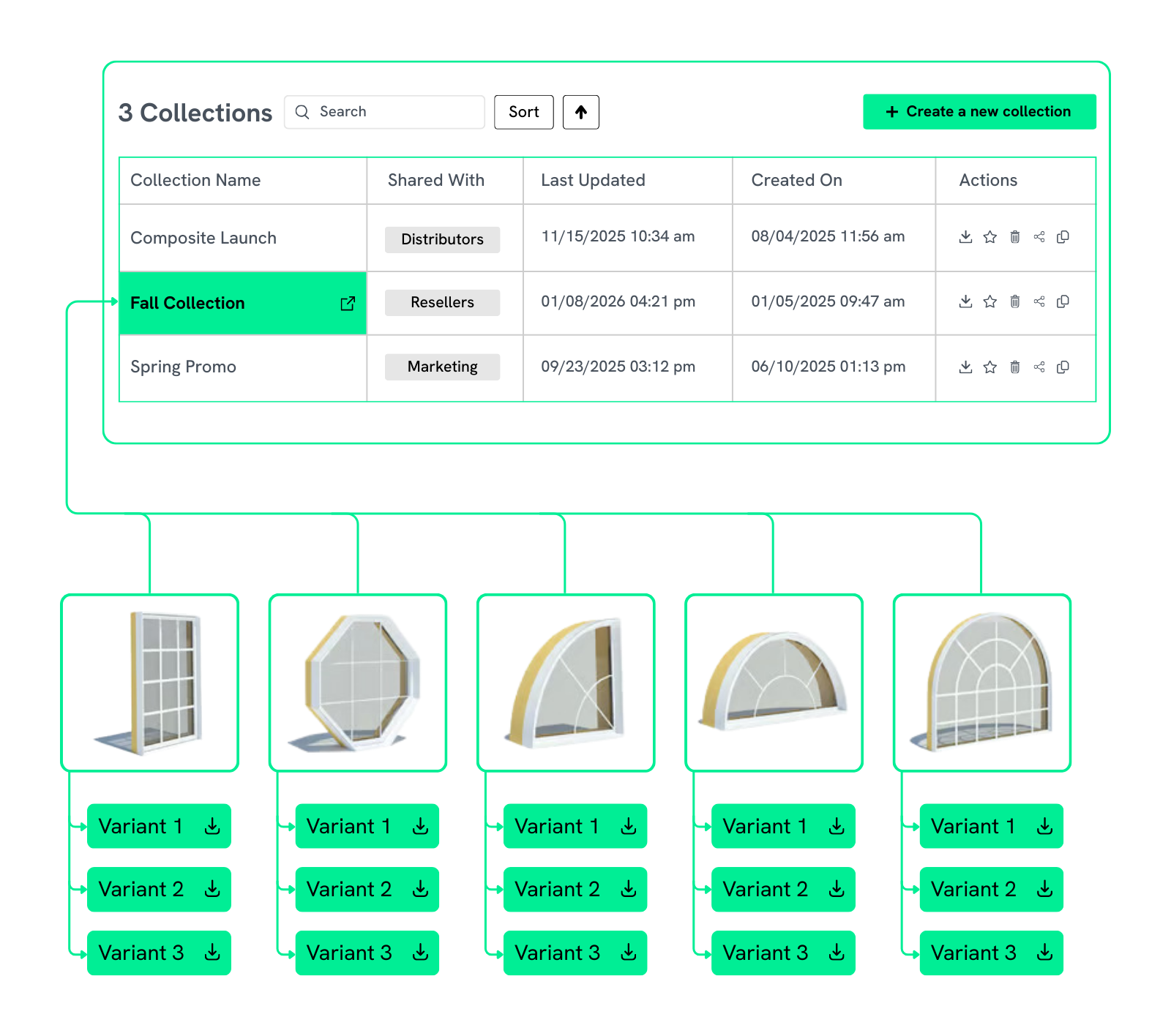
Curated by You
Create themed collections around seasonal moments, promotions, applications, or new product launches tailored to your unique workflows.
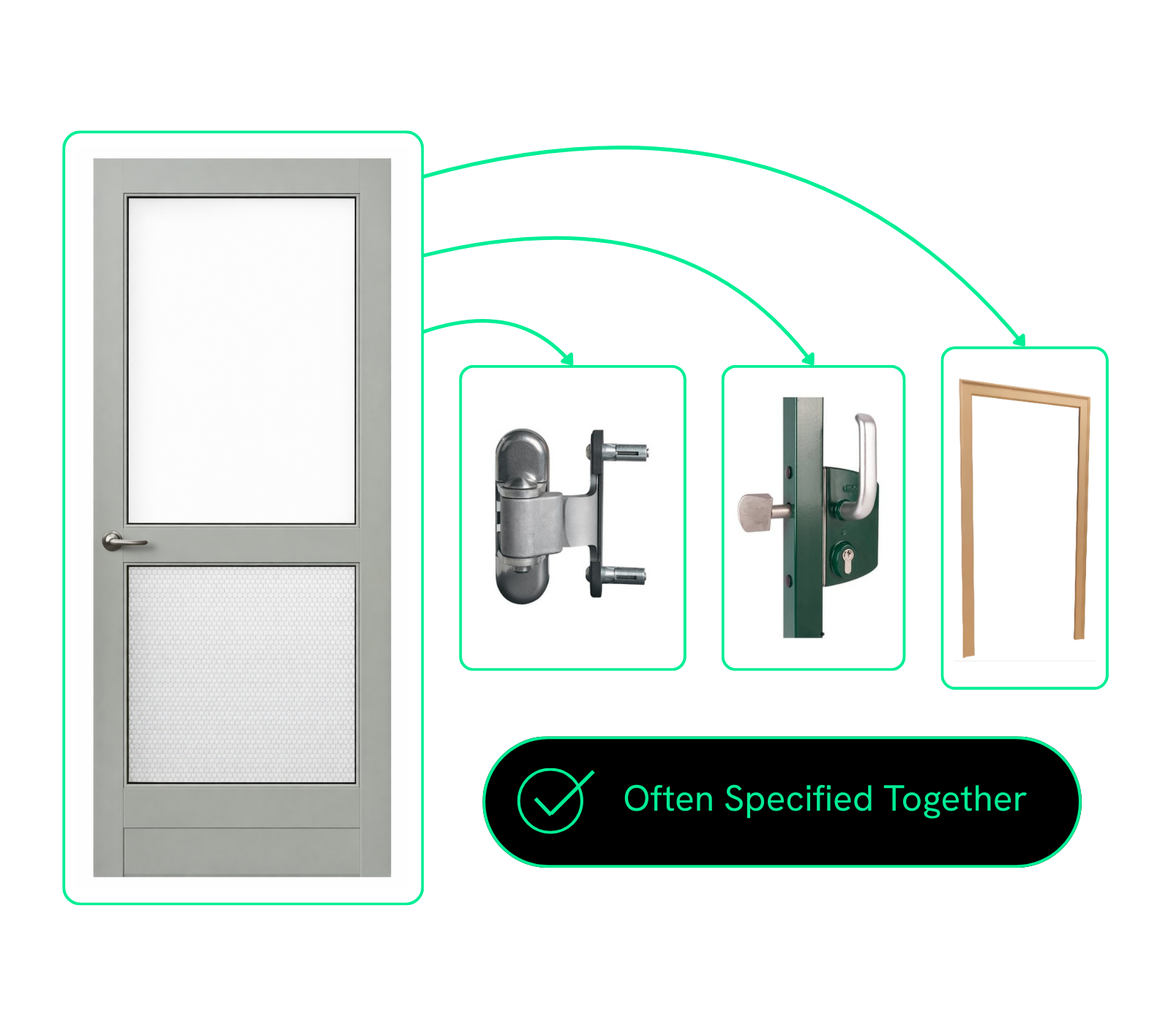
Unlock Upsells with Commonly Paired Items
Group products that frequently get specified together to open up opportunities for add-ons and bundled solutions while AEC pros are searching for products to specify.
Perfect for Sharing
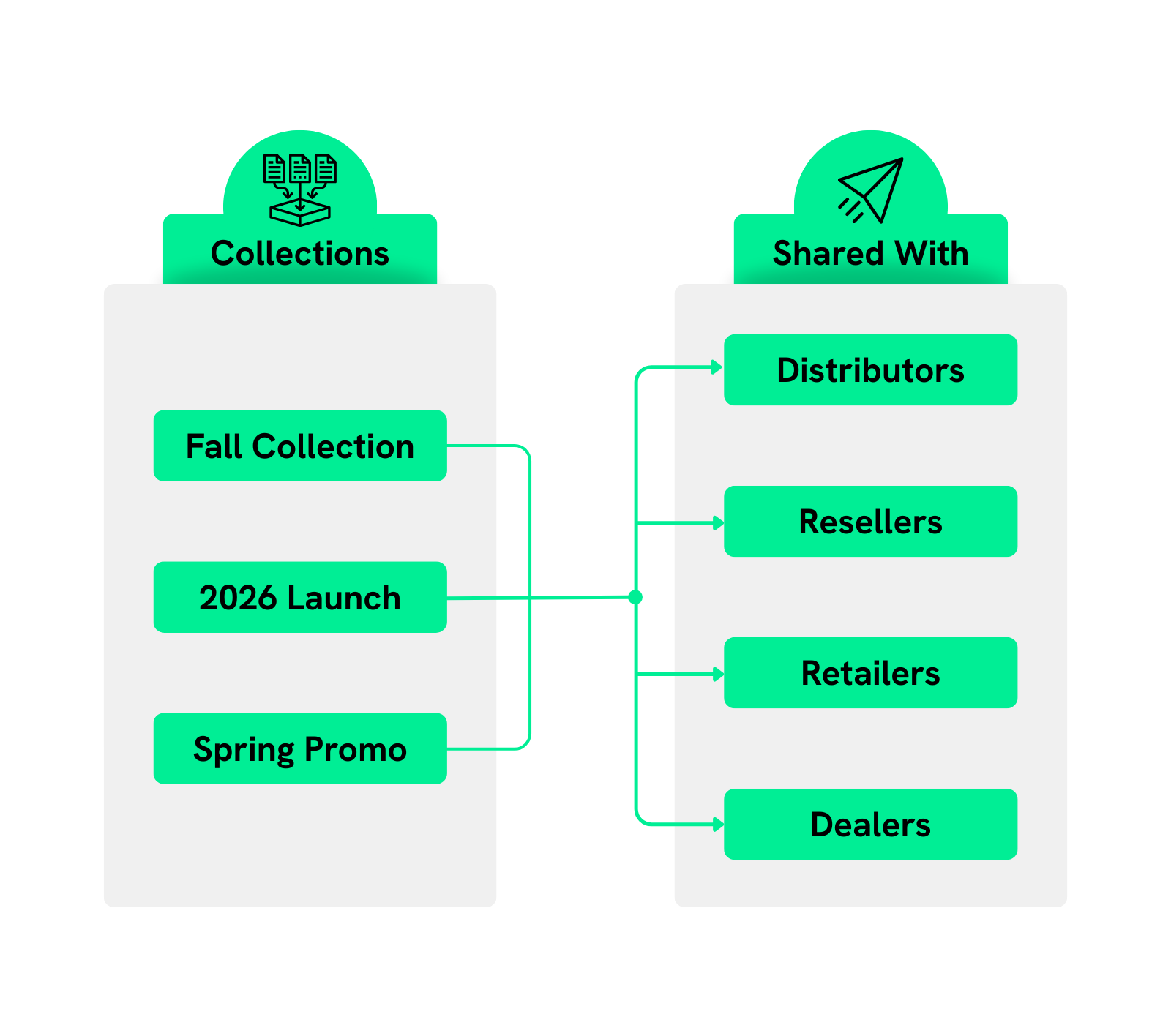
Share collections with internal teams, and give distributors and resellers early access so they can plan campaigns, align messaging, and get ready to sell.
Collections Done Right
Bring everything needed for a specific area together into one easy-to-browse set. Here's an example: a patio collection that includes everything for a complete outdoor living solution.

Showcase newly released products together, making it easy for AEC pros to discover what’s new and incorporate your latest offerings into their projects.

Group your products by the markets you serve (commercial, residential, education, interior, exterior) so AEC pros can quickly find exactly what they need.

Group seasonal products into a single collections to support seasonal promotions and campaigns.

Highlight products with recycled content, low-VOC finishes, or sustainability certifications in one collection to support green building goals.

Combine complementary products in a single collection—like doors paired with frames, trims, locks, and hinges—so AEC pros can see the full system at a glance.

Create tailored groupings for different audiences or firm types. For example, build a landscape-focused collection for landscape architects, making it easy for your sales team to present the right products from the start.
How It Works
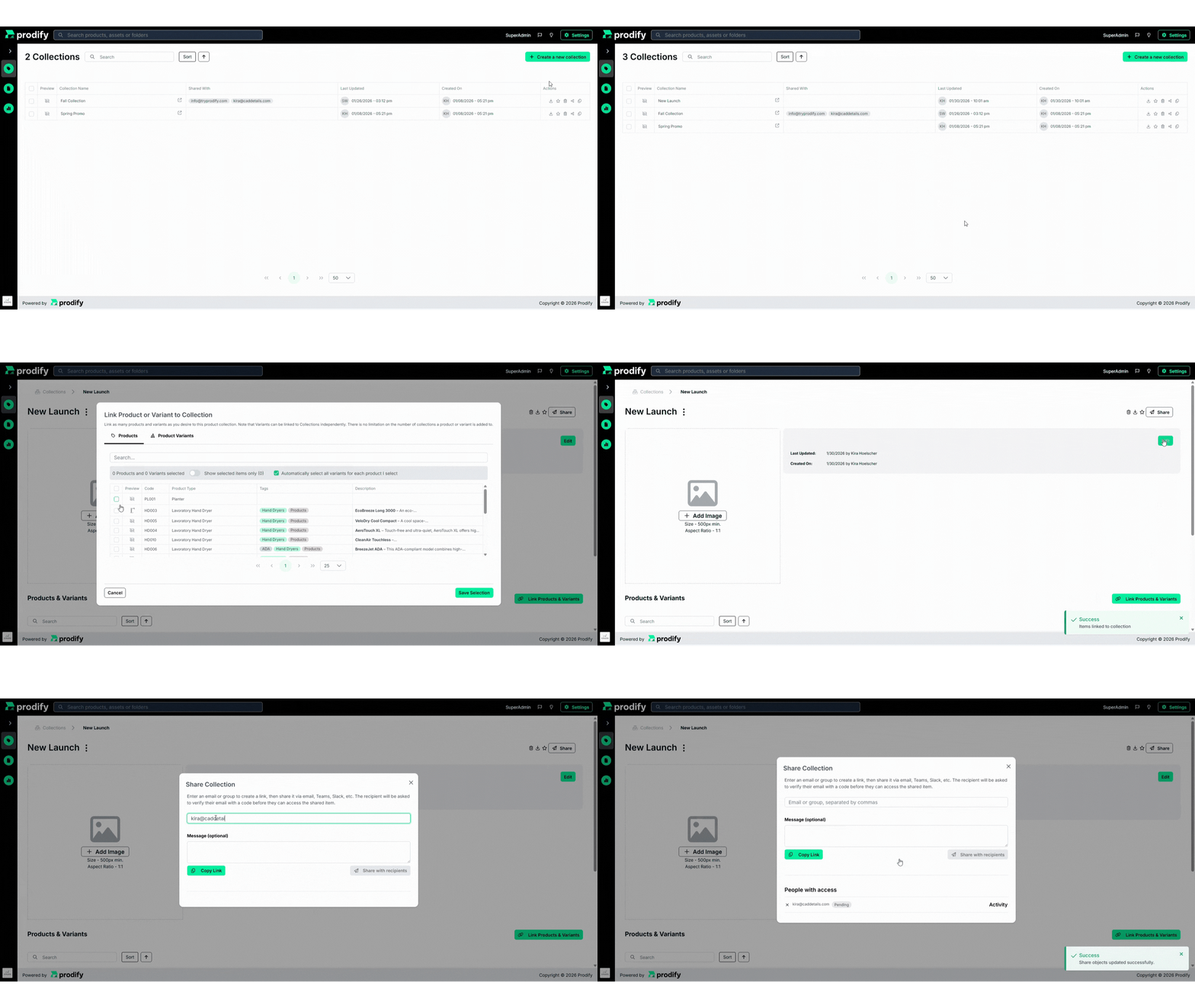
Create a collection
Link product families, products, and assets
Share it with partners, prospects, or your team
FAQs
You can mix and match as many product families, products, and related assets from Prodify as you want.
Absolutely! Your products can be included in as many collections as you want.
Collections are flexible and purpose-driven. Unlike fixed categories or families, the same products can appear in multiple collections based on different themes, campaigns, use cases, or audiences.
As many as you want! Create collections for different audiences, use cases, campaigns, or moments—there’s no limit.
Yes! You can add, remove, or reorder products at any time. Changes update instantly, so your collections always stay current.
Collections live in the PIM, and Folders live in the DAM. Collections include the full product or SKU plus all its related files. Folders, on the other hand, just group digital files together—no product details included.
Subscribe to the Prodify Pulse Newsletter for the latest Prodify updates, plus fresh insights on product management and marketing in the building industry. You can also visit our blog for product updates, helpful resources, and more.