

Brand Portals
Show off your products with curated digital experiences
Think of your portals as your own sleek, shareable storefront—always stocked with the latest assets from Prodify.

Share Collections
Mix and match products into themed collections, then share them with prospects for a polished brand experience.
Best for: Showcasing a selection of products with a common theme.


Share Products
Share your products, complete with all their variants and assets, through Prodify’s PIM—giving prospects a one-stop shop for everything they need.
Best for: Sharing all variants within a broader product family.
Share Folders
Make it easy for prospects to explore and download your assets by sharing entire folders through Prodify’s DAM.
Best for: Sharing assets without product details.

Why You'll Love It
Plus, include as much (or as little) product content as you want, from a single design file to an entire collection.
Brand Portals You Can Build

Create a focused portal for a specific product line or new launch, bringing together specs, CAD/BIM/3D files, images, certifications, and documentation in one place.

Effortlessly highlight your most popular products and design files in a dedicated portal.

Organize products around real project needs like sustainability goals, prefabrication, exterior-rated applications, acoustics, or fire performance.
How It Works
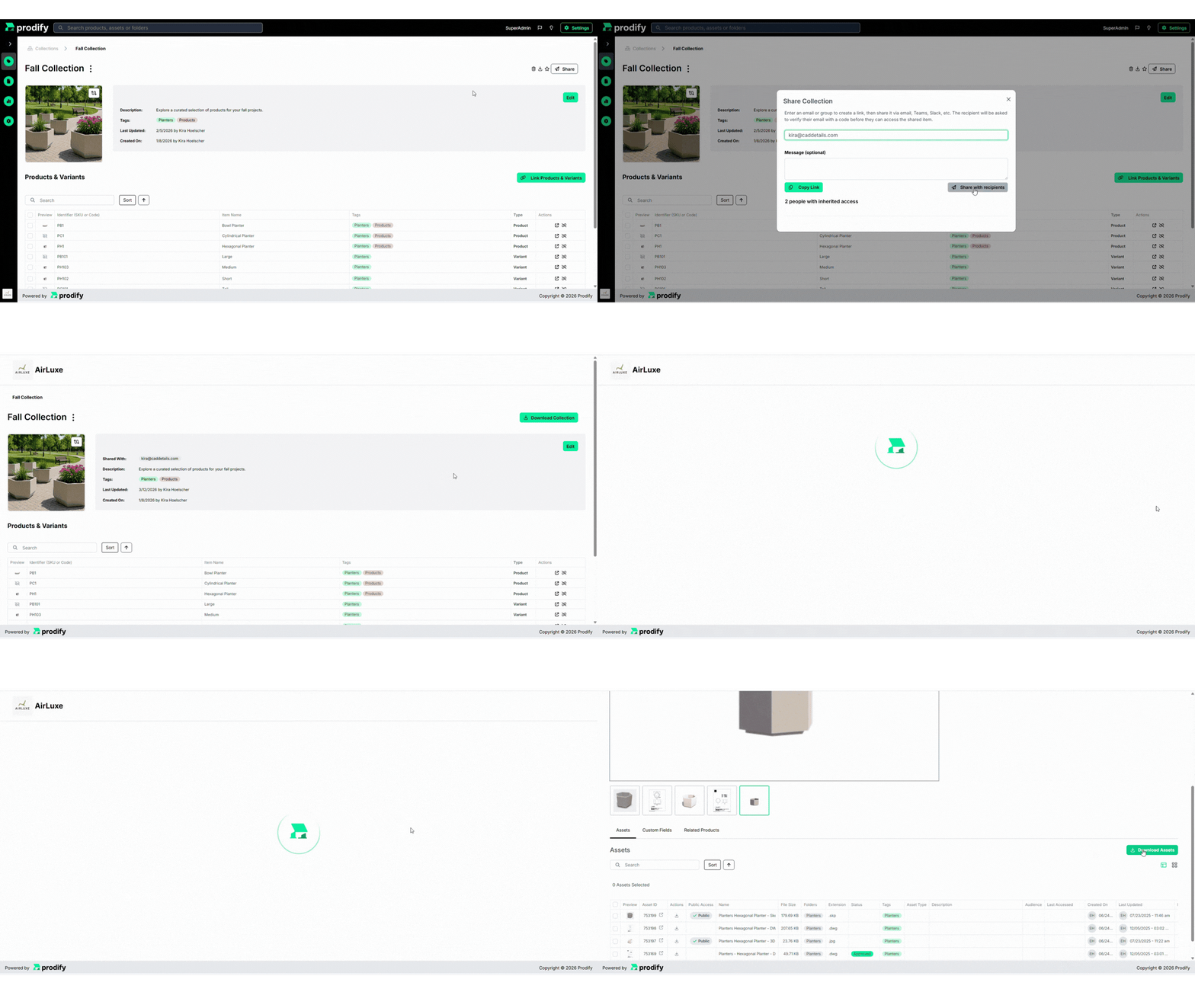
Upload your logo to Prodify
Share collections, products, or folders with prospects
Update files in Prodify, and your portals sync automatically
FAQs
Once your content is uploaded to Prodify, creating a portal takes just a few minutes! Simply choose what to showcase and share it with anyone you want—no lengthy setup or technical work required.
Yes, AEC pros can directly download CAD/BIM/3D files, specs, and other product resources straight from your portal.
Any product information stored in Prodify can be shared in brand portals, including design content, pricing, images, datasheets, PDFs, and more. If it’s in Prodify, you can showcase it.
Absolutely! Create as many portals as you need for different partners, teams, markets, or campaigns. Each portal can be tailored to show only the products and files that matter most to that audience.
Subscribe to the Prodify Pulse Newsletter for the latest Prodify updates, plus fresh insights on product management and marketing in the building industry. You can also visit our blog for product updates, helpful resources, and more.