

Product Relationships
Turn individual products into complete, connected experiences
Help specifiers quickly understand what works together, what completes a system, and what alternatives are available with structured product relationships.

Defining the Relationship
Ditch rigid, one-dimensional relationships and create more dynamic, contextual product experiences. Help prospects see not just what your product is, but how it fits into the bigger picture.
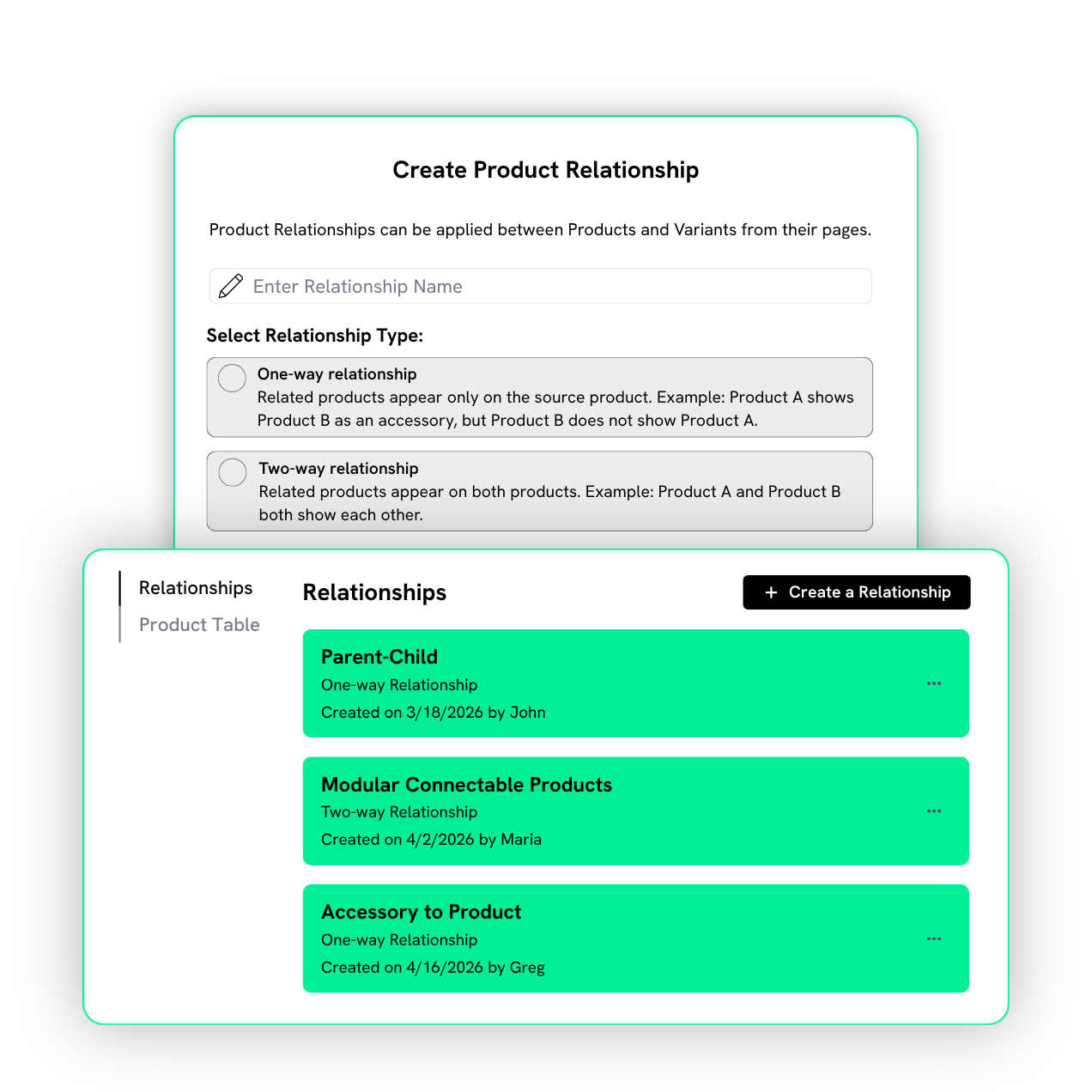
There are two types of relationships you can build in Prodify:

Cross-Selling Made Easy
When specifiers can easily see how your products connect, they’re more likely to choose the big picture—not just a single item. Clear relationships make cross-selling feel natural (not pushy) and open the door to more specifications.
Instead of relying on sales reps, product teams, or scattered documentation to explain these connections repeatedly, you define them once in Prodify. That consistency helps reps sell full systems without extra effort.
Guide Specifiers to the Right Choice
Specifiers shouldn’t have to figure out product compatibility on their own. In complex catalogs, that uncertainty slows down decisions, leads to incomplete specifications, and creates constant back-and-forth with your team.
By clearly showing how your products connect, you make it easier for AEC pros to navigate your catalog, compare options, and confidently choose the right solution for their project.

Relationships You Can Build

A lighting fixture connects to its variations, like different sizes, finishes, or mounting options.

Add-ons like screens, trims, or installation kits link to a core window system.

A door connects to matching hardware like hinges, handles, and locks, and those components link back to the door.

Diferent flooring finishes, like vinyl tile, engineered wood, and laminate, all reference each other.

Modular seating corner units, middle sections, and end caps all link to each other.
How It Works
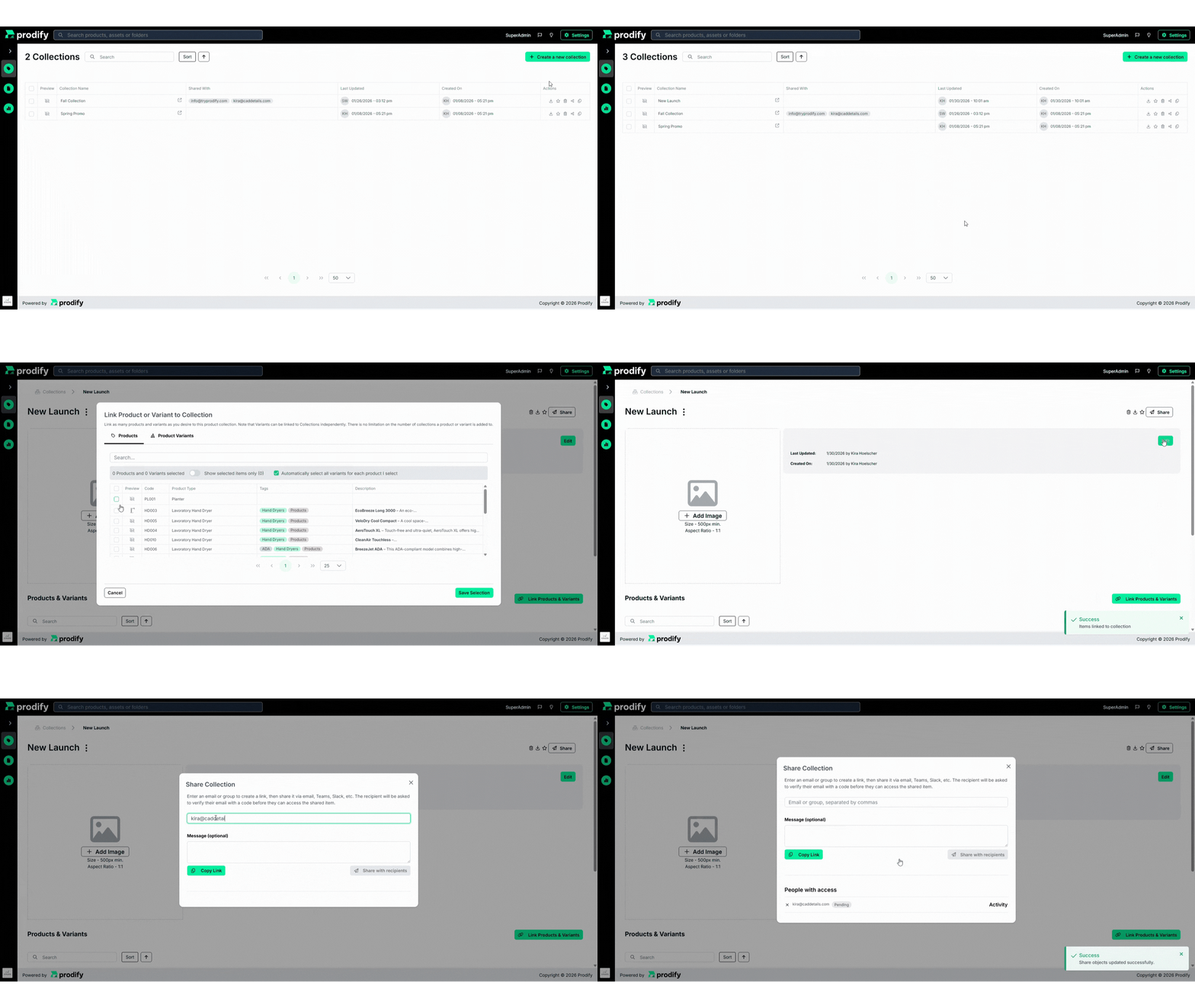
Create a relationship
Apply it to your products
Share connected product experiences with prospects
FAQs
Product relationships make it easier for specifiers to explore your catalog, understand product compatibility, and confidently choose the right solution. They also naturally support cross-selling by showcasing complete systems.
One-way relationships are directional (e.g., an accessory lists a product, but the product doesn’t link back to the accessory). Two-way relationships are mutual, so both products reference each other, like compatible or alternative options.
100%. You have full control over how your products connect, so you can define relationships that fit your unique catalog.
By clearly showing what works together (like accessories, compatible items, or full systems) prospects are more likely to specify several of your products instead of just one.
Absolutely! Relationships guide prospects through your catalog, helping them compare options, understand compatibility, and make decisions with confidence.