
How Prodify Powers Your CMS & Email Marketing Tools
Murat Demircan on Unsplash
No matter which CMS or email marketing platform you use, Prodify’s public links and embed-friendly setup make it easy to distribute your product content across all your digital channels and push updates everywhere all at once. In this guide, we’ll break down:
- Why it makes sense to use Prodify alongside your CMS and email marketing tools
- Which tools you can use Prodify with
- How public links make updates fast, easy, and hassle-free across all your content and emails
Let's dive in!
Why Use Prodify with Your CMS & Email Marketing Tools?
Prodify’s public links let your CMS/email marketing tool reference your source file directly, eliminating the need to host and maintain separate versions. Since no files are uploaded to other tools, you avoid outdated content, reduce storage, and ensure every page always reflects the latest version managed in Prodify.
Why Linking Beats Uploading:
- Your design files (CAD, BIM, 3D files, and specifications) always display the most up-to-date versions.
- No more outdated marketing assets (brochures, product images, and other materials stay current automatically).
- Update your files in Prodify, and they’ll automatically sync to your CMS/email marketing tool
Prodify works with any CMS or email marketing tool, including:
- Webflow
- WordPress
- Wix
- Squarespace
- WordPress
- HubSpot
- Salesforce
- Mailchimp
- Klaviyo
- And more!
Using Prodify Links in Your CMS & Email Marketing Tools
Just follow these 3 simple steps to embed Prodify assets into any CMS or email marketing tool. For this walkthrough, we’ll use Webflow as our CMS and Mailchimp as our email platform.
1. Create a Public Link in Prodify
This link will act as your permanent reference inside your CMS and email marketing tool.

2. Embed the Asset Using a Code Block
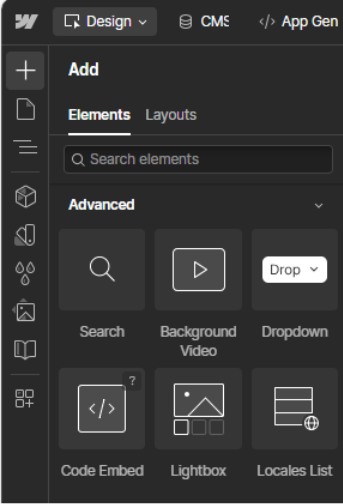
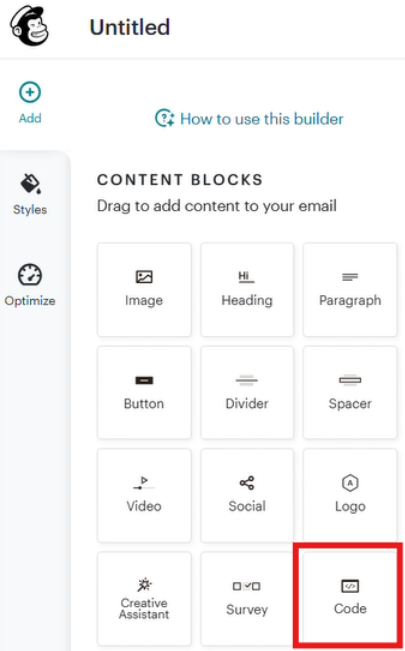
In your CMS or email marketing tool, navigate to where you want the visual to appear, and insert an HTML Custom Code Block.
Here’s what this looks like in Webflow:
And Mailchimp:
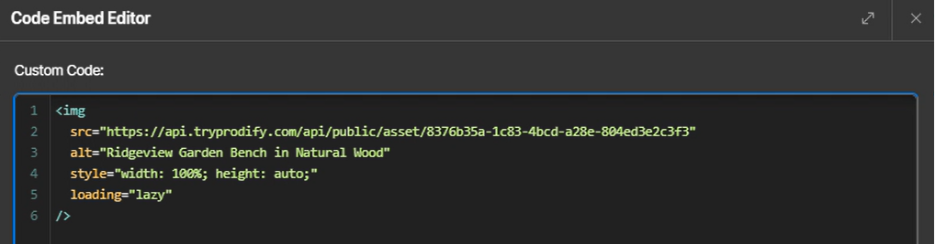
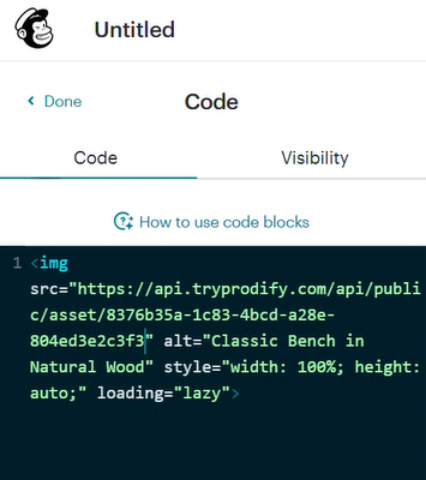
Then, paste the public link into a simple embed snippet, like:
<img src="INSERT_PRODIFY_URL_HERE" alt="DESCRIPTION" style="max-width:100%; height:auto; display:block;">
This code helps ensure that your linked image is responsive to various device sizes. If you’re stuck on coding, AI can help! Drop in the image URL, ask for the code, and it will create it for you.
Here’s what this looks like in Webflow:
And Mailchimp:
3. Add a Call-To-Action That Links Back to Prodify
To help visitors download files, view additional assets, or access product details, add a CTA like “Download CAD/BIM File” or “Specify This Product.” Then, create a folder in Prodify with all relevant files (CAD drawings, BIM models, etc.), generate a public link to that folder, and attach it to your CTA. When AEC users click the link, they’ll instantly access everything they need to specify your product!
Here’s how it looks once it’s all set up in Webflow:
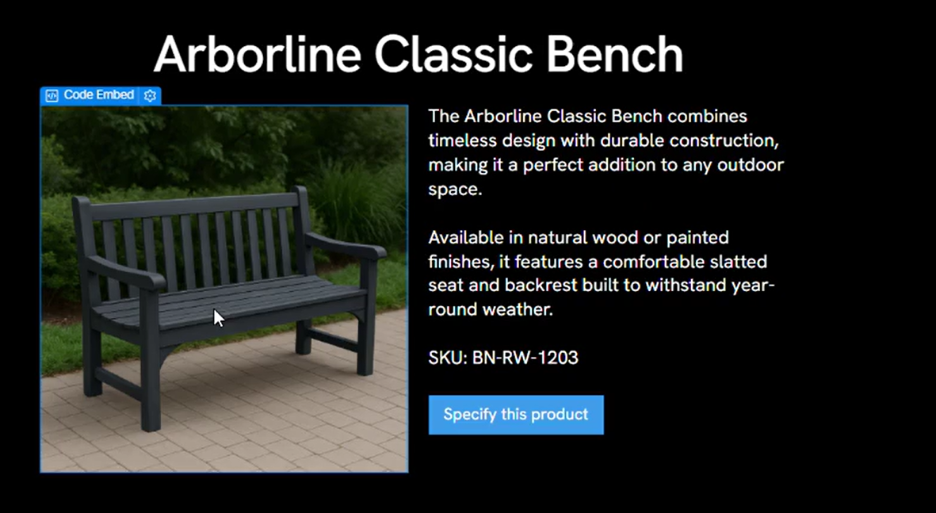
And Mailchimp:

The Best Part: Auto-Updating Links Do the Work for You
Here’s where Prodify truly shines: once you embed your public link, you never have to touch it again. If you update the asset in Prodify, your CMS and email marketing tool will automatically display the latest version.
This eliminates:
✔ Manual embed code updates
✔ Broken links
✔ Outdated product visuals
✔ Developer involvement
✔ Re-uploading assets every time something changes
Ready to Add Prodify to Your Tech Stack?
Using Prodify with your CMS and email marketing tool gives your team a scalable, low-maintenance way to share product content and ensure accuracy across all your channels.
Future-proof your tech stack and keep your content error-free. Try Prodify today→